
Microsoft Office course in Islamabad — Word, Excel, PowerPoint & MS 365, with certificate.
A complete, hands-on Microsoft Office training course built for Pakistani students and professionals. Master MS Word, Excel, PowerPoint and Microsoft 365 under certified trainers — the same British Council and AEO Pakistan partner institute that has trained students since 2009.
The complete Microsoft Office training course — built for real Pakistani offices and exams.
The Microsoft Office course at 5 Star Institute is a structured, hands-on training programme covering the four applications you actually need in a Pakistani workplace: Microsoft Word, Microsoft Excel, Microsoft PowerPoint, and Microsoft 365. Whether you are a fresh graduate, a working professional, or a complete beginner, the curriculum is designed to take you from typing your first document to building a fully formatted business report, a finance-grade Excel dashboard, and a boardroom-quality presentation.
What makes our Microsoft Office training different is the practical, lab-based teaching method. Every concept is taught on a real computer with a real assignment, not as theory you forget the next day. Students leave the course with a portfolio of actual documents, spreadsheets and presentations they have built themselves — the kind employers ask to see in interviews.
At 5 Star Institute, we have run this Microsoft Office course at our G-10 Markaz campus and live online for students across Pakistan. The course ends with a verified completion certificate — the credential most office, accounting and government clerk-grade positions in Pakistan explicitly require on the CV.
Microsoft Office Course — Fast Facts
Microsoft Office classes onsite at G-10 Markaz or live online — same curriculum, same certificate.
Pick the format that fits your schedule. Both options cover the complete Microsoft Office syllabus — Word, Excel, PowerPoint and MS 365 — with the same certified trainers and the same end-of-course certificate. WhatsApp us for the current fee and any seasonal discount.
Microsoft Office Course (Onsite)
Hands-on classroom training at our Islamabad campus — one student per computer, certified instructor, and printed practice workbooks.
- Complete Microsoft Office syllabus — Word, Excel, PowerPoint, MS 365
- One student per computer (no sharing)
- Printed course workbook and practice files included
- Morning, afternoon and evening batches
- Open-lab access for extra practice time
- Verified completion certificate
- Park View Plaza, G-10 Markaz, Islamabad
Microsoft Office Course (Online)
Live, instructor-led Microsoft Office training from anywhere in Pakistan — same syllabus and trainer feedback, with recorded sessions for revision.
- Complete Microsoft Office syllabus — Word, Excel, PowerPoint, MS 365
- Live Zoom classes with screen-share teaching
- Recorded sessions — review anytime
- Assignments reviewed by trainer with feedback
- Flexible batch timings — including evenings
- Same verified completion certificate as onsite
- Open to students Pakistan-wide
Why students choose us for Microsoft Office training in Islamabad & Rawalpindi.
A Microsoft Office course is only as good as the practice you get and the trainer correcting your mistakes. We have built a teaching method that works for Pakistani students — structured, patient, and ruthlessly hands-on.
- 15+ years of teaching experience — the same institute trusted by IELTS, TOEFL and PTE students since 2009.
- Lab-based, hands-on training — you spend more time clicking than listening. Every concept comes with a real exercise.
- Certified trainers who know what Pakistani employers actually test in interviews.
- Small batches — the trainer notices when you are stuck, instead of moving on without you.
- Course material included free — printed workbook, practice files, sample CVs and templates.
- Open-lab practice access — come in between classes and practice on our computers.
- Verified completion certificate — signed by the institute, ready for your CV and government job applications.
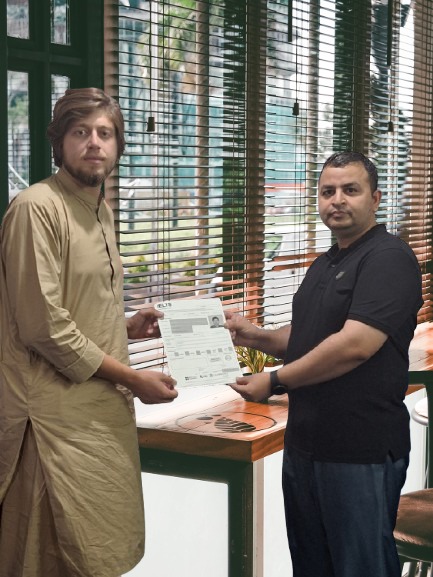
What's included free
The full Microsoft Office curriculum, module by module.
Four core modules, taught in order so each one builds on the last. By the end of the course, you will have built real documents, spreadsheets and presentations — not just watched someone else build them.
Documents, formatting & professional writing
The Microsoft Word module takes you from a blank page to a professionally formatted business document. You will master typing speed, page layout, styles, tables, mail merge, and the document standards Pakistani offices and universities expect.
- Typing practice and keyboard shortcuts
- Page setup, margins, headers & footers
- Paragraph styles, bullets, and numbering
- Tables, images, charts and SmartArt
- Mail merge for letters and certificates
- References, table of contents, footnotes
- CV writing using Word templates
Formulas, pivot tables & data analysis
The Microsoft Excel module is the most career-changing part of the course. We cover formulas from the absolute basics to lookup functions, pivot tables and dashboards — the Excel skills that unlock accounting, finance, analytics and admin roles in Pakistan.
- Cells, ranges, formatting and number formats
- Formulas: SUM, IF, COUNTIF, SUMIF, ROUND
- Lookup functions: VLOOKUP, HLOOKUP, INDEX/MATCH
- Pivot tables and pivot charts
- Data validation, conditional formatting
- Charts, dashboards and printable reports
- Real-world projects: payroll sheet, sales tracker, budget
Presentations that don't put the room to sleep
The Microsoft PowerPoint module teaches you to design clean, professional slides for school assignments, university projects, sales pitches and office meetings. We focus on what good slides actually look like — not just clicking through animations.
- Slide layouts, themes and master slides
- Text hierarchy and professional typography
- Inserting images, icons, charts and SmartArt
- Animations and slide transitions (used sparingly)
- Speaker notes and presenter view
- Exporting to PDF and printing handouts
- Real-world project: build a complete pitch deck
Outlook, OneDrive & cloud collaboration
The Microsoft 365 module covers the cloud features modern Pakistani employers now expect — professional email through Outlook, file sharing through OneDrive, and real-time collaboration with Teams. This is what separates a basic Microsoft Office user from a workplace-ready one.
- Setting up a professional Outlook email
- Calendar, meetings and email folders
- OneDrive cloud file storage and sharing
- Real-time collaboration on shared documents
- Microsoft Teams for office communication
- Microsoft 365 fundamentals overview
- Account security and password management
Designed for three types of learners — each gets the right pace.
The Microsoft Office course works equally well for someone touching a computer for the first time and for a working professional who needs to upgrade specific skills. Find yourself below.
Students & fresh graduates
Heading into job interviews where "MS Office proficient" is a baseline requirement. You will leave the course with a polished CV (built in Word), a portfolio of Excel projects to mention in interviews, and the certificate to back it up. Especially valuable for commerce, BBA, BS-IT, and humanities graduates targeting admin, accounts and government positions.
Office professionals
Already working but want to move up — from typist to executive assistant, from cashier to accounts officer, from data-entry to data analyst. The Excel module alone is worth the entire course fee for working professionals. Evening and weekend batches are designed around full-time work schedules.
Complete beginners
Never used a computer before, or only used it for WhatsApp and Facebook. The Microsoft Office course for beginners starts from the absolute basics — switching on a computer, using the mouse, saving files, managing folders — and patiently builds up. Our trainers have taught hundreds of students who started exactly where you are.
From your first WhatsApp message to your completion certificate.
Free counselling
WhatsApp or call us. We assess your current level, your goal (job interview, exam, skill upgrade) and recommend the right batch — onsite or online.
Pick your batch
Choose morning, afternoon, evening or live online — whichever fits your schedule. Confirm your seat with a simple enrolment process.
Hands-on training
8 — 12 weeks of lab-based Microsoft Office training. Word, Excel, PowerPoint, MS 365 — in that order, with assignments after every class.
Test & certificate
End-of-course practical test on a real Office assignment. Pass and collect your verified 5 Star Institute Microsoft Office course completion certificate.
Pick the batch that fits your study or work routine.
Three flexible batches running in parallel at G-10 Markaz — plus live online Microsoft Office classes for students elsewhere in Pakistan.
Morning Batch
Evening Batch
Online Batch
Real students. Real lab. Real practice on real computers.
A Microsoft Office course is only as good as the time you spend with your hands on the keyboard. Here is what learning at 5 Star Institute actually looks like.


Want to visit before enrolling? Walk in any working day between 10 AM and 8 PM — or WhatsApp us to book a campus visit →
What our Microsoft Office students say.
Everything you need to know before enrolling in the Microsoft Office course.
What is the fee for the Microsoft Office course in Islamabad?
Do I get a certificate after completing the Microsoft Office course?
Is the Microsoft Office course suitable for beginners?
How long is the Microsoft Office course?
Can I learn just Microsoft Excel or just Microsoft Word separately?
Do you offer the Microsoft Office course online?
What is the difference between Microsoft Office and Microsoft 365?
Where is your Microsoft Office training centre located?
What jobs can I get after completing the Microsoft Office course?
Start your Microsoft Office course — free counselling session.
Fill in your details and our team will contact you within a few hours to recommend the right track (Word, Excel, full Office, or beginner), confirm your batch slot, and share the current fee.
- Free counselling & level assessment — no obligation
- British Council & AEO Pakistan partner institute
- Onsite (G-10 Markaz) and live online batches
- Flexible timings — morning, evening, weekend & online
Prefer to message us directly?
WhatsApp +92 333 5001116 →
Your Microsoft Office certificate, your job-ready CV, your next role — start this Monday.
Speak to our admissions counsellor today. Free level assessment. No registration fee for the consultation. No pressure to enrol — just an honest plan and the right Microsoft Office batch for your timeline.
📍 Park View Plaza, G-10 Markaz, Islamabad · 📞 +92 344 5000120 · ✉ fsi.education@gmail.com · Online Microsoft Office classes available Pakistan-wide
